

Code on the Metal: A Software Engineer's Guide to the Foundations of IT
Golden Hook & Introduction
SECTION
Prof. Eleanor Hart: Nolene, as a software engineer, you live in this beautiful, elegant world of pure logic. You write a line of code, and magic happens. But have you ever stopped to think about the brute-force, physical violence happening inside the machine to make that magic possible? We're talking billions of tiny switches flipping at the speed of light, a frantic conversation between components.
Nolene: That's a dramatic way to put it, but it's so true. We operate on such a high level of abstraction. We write Python or Java, and we just trust that something, somewhere, will make it work. The hardware is effectively a black box for many of us, myself included a lot of the time. It's just... the platform.
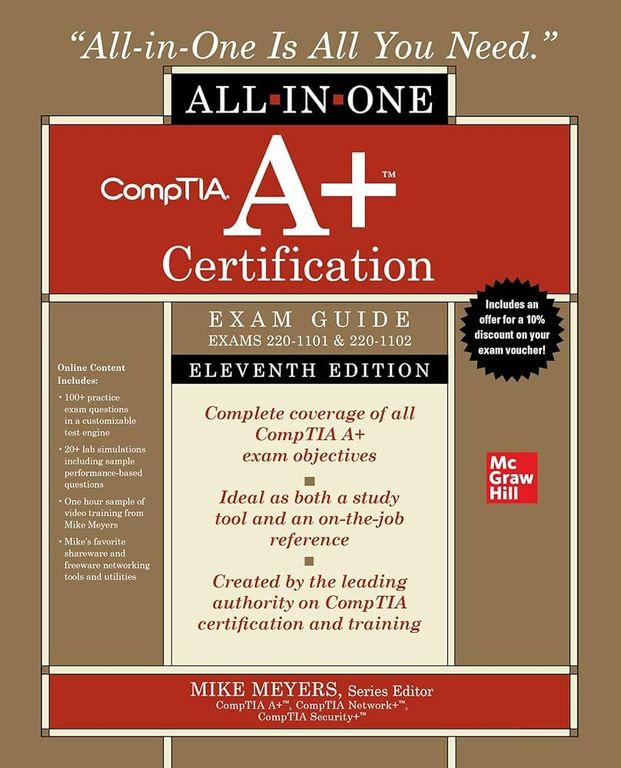
Prof. Eleanor Hart: Exactly! It's the stage, but we never look at the stagehands or the lighting rigs. Well, today, we're peeling back those layers of abstraction. Using Mike Meyers' classic 'CompTIA A+ Guide' as our map, we're going on a journey from the code down to the metal.
Nolene: I love that. It's like being an architect who finally goes to the quarry to see where the stone comes from.
Prof. Eleanor Hart: What a perfect analogy. And we'll dive deep into this from two perspectives. First, we'll explore the heart of the machine, the CPU, and how it translates your elegant code into raw action.
Nolene: The brain of the operation.
Prof. Eleanor Hart: Precisely. Then, we'll discuss the computer's memory system, and why understanding the difference between a workbench and a library is absolutely critical for writing fast, efficient software.
Nolene: Okay, I'm already hooked. This is the stuff that separates good code from great code. Let's do it.
Deep Dive into Core Topic 1: The CPU - From Silicon Logic to Software Magic
SECTION
Prof. Eleanor Hart: Alright, let's start with the absolute heart of it all: the Central Processing Unit, or CPU. The A+ guide, in its wonderful, straightforward way, describes its core job with a simple, four-step dance that happens billions of times a second: fetch, decode, execute, store. It sounds almost quaint, doesn't it?
Nolene: It does. It sounds very... orderly. Not at all like the chaos you described earlier.
Prof. Eleanor Hart: Well, the chaos comes from the speed! Imagine a master chef in a kitchen. The recipe is your program. The first step, 'fetch,' is the chef grabbing the next line of the recipe, say, "Add two cups of flour." That's the CPU pulling an instruction from memory.
Nolene: Okay, makes sense.
Prof. Eleanor Hart: The second step is 'decode.' The chef has to understand what "add two cups of flour" means. It's not just words; it's a specific action with specific ingredients. The CPU's control unit decodes the instruction, figuring out which circuits it needs to activate to perform the task.
Nolene: So it's the brain understanding the command.
Prof. Eleanor Hart: Exactly. The third step, 'execute,' is the action itself. The chef actually scoops the flour and puts it in the bowl. For the CPU, this is where the Arithmetic Logic Unit, the ALU, does its thing. It performs the math or the logical comparison. It does the.
Nolene: And finally, 'store'.
Prof. Eleanor Hart: You got it. The chef puts the bowl of flour down on the counter, ready for the next step. The CPU stores the result of its calculation, maybe in a tiny, super-fast temporary holding area called a register, or sends it back out to the main system memory. Fetch, decode, execute, store. Over and over, billions of times a second.
Nolene: It's fascinating when you break it down like that. Because as a developer, we are so far removed from that process. We might write a simple line of code, something like, total_price = item_price + sales_tax;. That's one line. It feels like one thought.
Prof. Eleanor Hart: But to the CPU, it's a whole paragraph of instructions, isn't it?
Nolene: It's a novel! First, the compiler, which is the translator between my human-readable code and the machine's language, has to break that down. It generates instructions like: 'Fetch the value stored at the memory address for item_price.' 'Load it into a register.' 'Fetch the value for sales_tax.' 'Load that into another register.' 'Tell the ALU to add the contents of those two registers.' 'Take the result.' 'Store that result in the memory address we've assigned to total_price.' Our one elegant line becomes a dozen, maybe more, of these primitive fetch-decode-execute steps.
Prof. Eleanor Hart: So you're essentially writing the high-level strategy, and the compiler is the middle manager breaking it down into tiny, explicit tasks for the factory worker—the CPU.
Nolene: Exactly. And this is where performance thinking comes in. For example, in programming, we use loops to repeat tasks. A 'for loop' that runs a million times. If you have a complex decision inside that loop, like a big chain of 'if-then-else' statements, you're not just adding logical complexity. You're potentially creating a traffic jam for the CPU.
Prof. Eleanor Hart: How so?
Nolene: Modern CPUs are smart. They try to guess what's coming next to keep that four-step pipeline full. It's called branch prediction. They'll start fetching and decoding the next instructions before the current one is even finished. But a complex 'if' statement makes it hard to guess which branch of code will be taken. If the CPU guesses wrong, it has to flush its entire pipeline and start over. It's a stall. It's wasted time.
Prof. Eleanor Hart: So a poorly written loop isn't just inefficient in theory, it's causing a literal, physical traffic jam on the silicon.
Nolene: That's it! You're making the chef stop, throw out the ingredients he just prepped, and re-read the recipe. Understanding that physical reality makes you write cleaner, more predictable code. You start to appreciate simplicity not just for readability, but for raw mechanical performance.
Deep Dive into Core Topic 2: The Hierarchy of Memory
SECTION
Prof. Eleanor Hart: That is a perfect transition. Because where the chef puts those ingredients, and where he gets them from, is just as important as how he follows the recipe. This brings us to our second big idea from the A+ guide: the memory hierarchy. Specifically, the crucial difference between RAM and storage.
Nolene: Ah, the daily battleground for a software engineer.
Prof. Eleanor Hart: I love that you call it a battleground. The book explains it simply, but I prefer an analogy. Think of your computer's memory system as a craftsman's workshop. The RAM, or Random Access Memory, is your workbench. It's right in front of you. It might be a bit cluttered, but anything on it is within arm's reach. It's incredibly fast to grab.
Nolene: Okay, the workbench. I like it.
Prof. Eleanor Hart: Then you have your storage—your Solid-State Drive or Hard Disk Drive. This is the library or the big tool chest against the wall. It's huge, it's organized, and it can hold way more stuff than your workbench. But to get anything from it, you have to stop what you're doing, get up, walk over, find the right drawer or shelf, and bring it back to the workbench. That trip is dramatically slower.
Nolene: Thousands, if not millions, of times slower. We call that trip an I/O operation, for Input/Output. And we spend our lives trying to avoid it.
Prof. Eleanor Hart: And there's one more critical difference the A+ guide highlights: volatility. When you cut the power to the workshop, everything on your workbench—the RAM—vanishes instantly. It's wiped clean. But everything in the library—the storage—is still there when you come back the next day. It's permanent.
Nolene: That's the fundamental trade-off, right? Speed versus persistence.
Prof. Eleanor Hart: Exactly. Let's make it real with a case study. Imagine a simple e-commerce website. You, the user, click to view your order history. What happens?
Nolene: A request is sent to the server. The server's software needs to find my data.
Prof. Eleanor Hart: Right. And your order history isn't sitting on the workbench. It can't be; there are millions of users. It's stored neatly in the 'library'—a database file sitting on an SSD. So the application has to make that slow walk. It sends a query to the database, the database finds the right 'book' on the shelf, pulls out the right 'pages' of data, and carries it all the way back to the workbench, the RAM.
Nolene: And only then, once the data is in RAM, can the CPU—our chef—actually start working with it to format it and build the web page to send back to the user.
Prof. Eleanor Hart: That walk to the library is the bottleneck. If the site is slow, it's almost always because it's spending too much time walking back and forth to the library.
Nolene: This is everything. This is why we have caching. A cache is, to use your analogy, like deciding to keep the five most popular books right on the corner of your workbench. When someone asks for one of them, you don't have to walk to the library at all. You just grab it. It's instant.
Prof. Eleanor Hart: So when a developer uses a tool like Redis or Memcached...
Nolene: They are literally building a faster, more organized section of the workbench! They're saying, "Let's take the data we know we'll need often—like a user's profile info, or the top-selling products—and pull it from the slow library, and then keep a copy of it on this super-fast workbench." The next time a user asks for it, we serve it from the cache, from RAM. We avoid the walk. That's the difference between a website that feels instantaneous and one that makes you want to tear your hair out. It's all about respecting the physics of the workshop.
Synthesis & Takeaways
SECTION
Prof. Eleanor Hart: So when you put it all together, it's this incredible, intricate dance. You have the CPU, our frantic chef, performing its fetch-decode-execute-store routine billions of times a second. And simultaneously, you have this constant, critical movement of data between the fast, volatile workbench of RAM and the slow, persistent library of storage.
Nolene: And the best software, the best code, isn't just logically correct. It's code that is sympathetic to that physical dance. It's written with an awareness of the CPU's pipeline and the cost of that walk to the library.
Prof. Eleanor Hart: It's about being a holistic architect, not just a decorator. Understanding the foundation you're building on.
Nolene: Absolutely. And that brings me to a really practical takeaway for anyone listening, especially other developers. It's something that really helps make this tangible.
Prof. Eleanor Hart: Please, share it.
Nolene: Next time you're working on your computer, open up your system's monitoring tool. On Windows it's Task Manager, on Mac it's Activity Monitor, on Linux you might use htop. Just have it open on the side of your screen. And then, do your work. Compile a big project. Run a complex database query. Load a huge file into memory.
Prof. Eleanor Hart: And watch what happens.
Nolene: And watch. Watch the CPU graph spike to 100% during a compile. Watch the "Memory Used" number climb as your application loads data. Watch the "Disk I/O" chart light up when you save a file. Don't just see numbers and graphs. Try to visualize what we've been talking about. See the CPU's pipeline getting flooded with instructions. See the data being hauled from the slow library to the fast workbench.
Prof. Eleanor Hart: You're connecting your abstract action to its physical consequence.
Nolene: Exactly. It completely changes how you see your own code. You start to see it not just as text on a screen, but as a set of direct instructions for a very real, very physical, and very busy machine. It makes you a better engineer.
Prof. Eleanor Hart: What a powerful and practical piece of advice. Nolene, thank you for taking this journey down to the metal with me.
Nolene: It was my pleasure. It's always fun to look under the hood.